Drag soldier and skill gears onto the board, then start the fight. Gear Battle combines preparation with automated combat: choose your setup first, then watch how it performs against the enemy.
The game opens at game.axplay.win. Use your browser’s Back button to return to this guide.
Cómo jugar
Follow the tutorial and drag an available gear onto a highlighted slot. Locked slots are not available for placement.
Select Fight after placing your gears, and watch your soldiers engage the enemy.
Return to preparation after combat and use the available slots to adjust your next setup.
Controls
On touch screens, drag gears with your finger and tap buttons. On desktop, hold the left mouse button to drag and drop, then click Fight.
Beginner tips
Check that each gear has landed in an available slot before starting the fight.
Watch one soldier type in action before adding another soldier or skill, so you can compare their effects.
Use the preparation phase between fights to adjust your setup instead of repeatedly starting with the same arrangement.
Questions
Why can’t I place a gear in some slots?
Some slots are locked, and the tutorial also restricts where you can interact. Use an unlocked, highlighted position first.
Do I need to install anything? What if loading fails?
Open the game in your browser. The first load needs to download game resources. If loading stalls, check your connection and reload. If it still fails, send the game name, device and browser version through our contact page.
Grow a crowd of runners by choosing numbered gates, then face enemy groups on the track. Compare addition and multiplication against your current crowd size and bring as many runners as possible to the finish.
Preparation and Energy
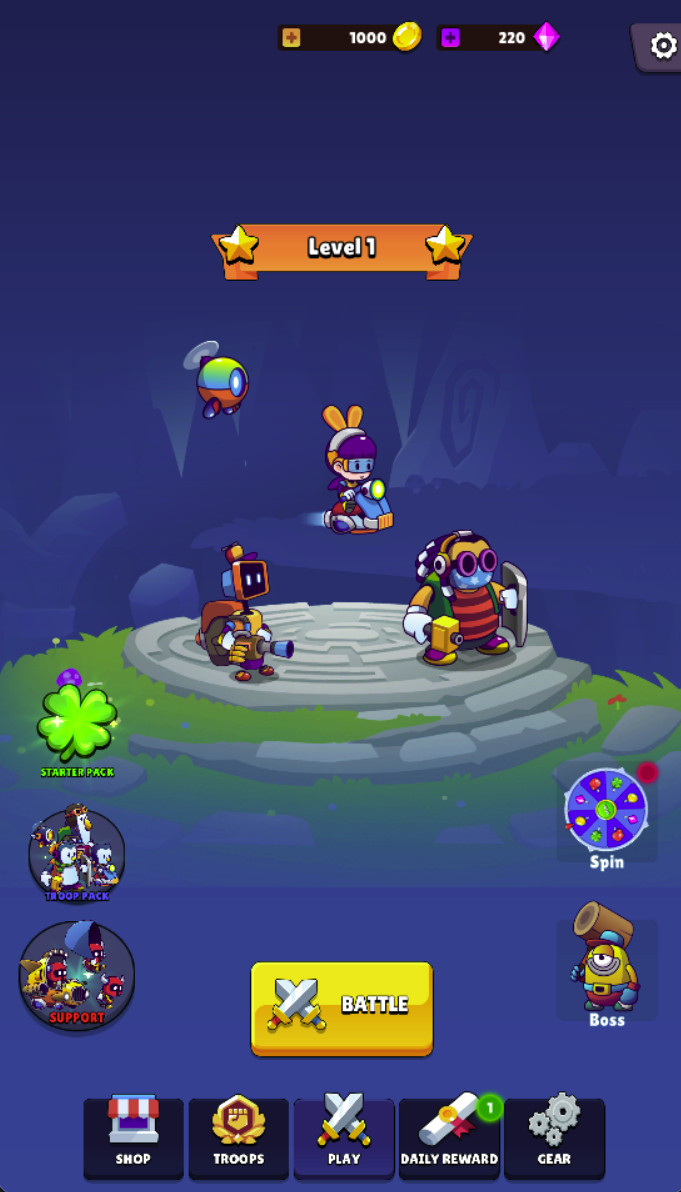
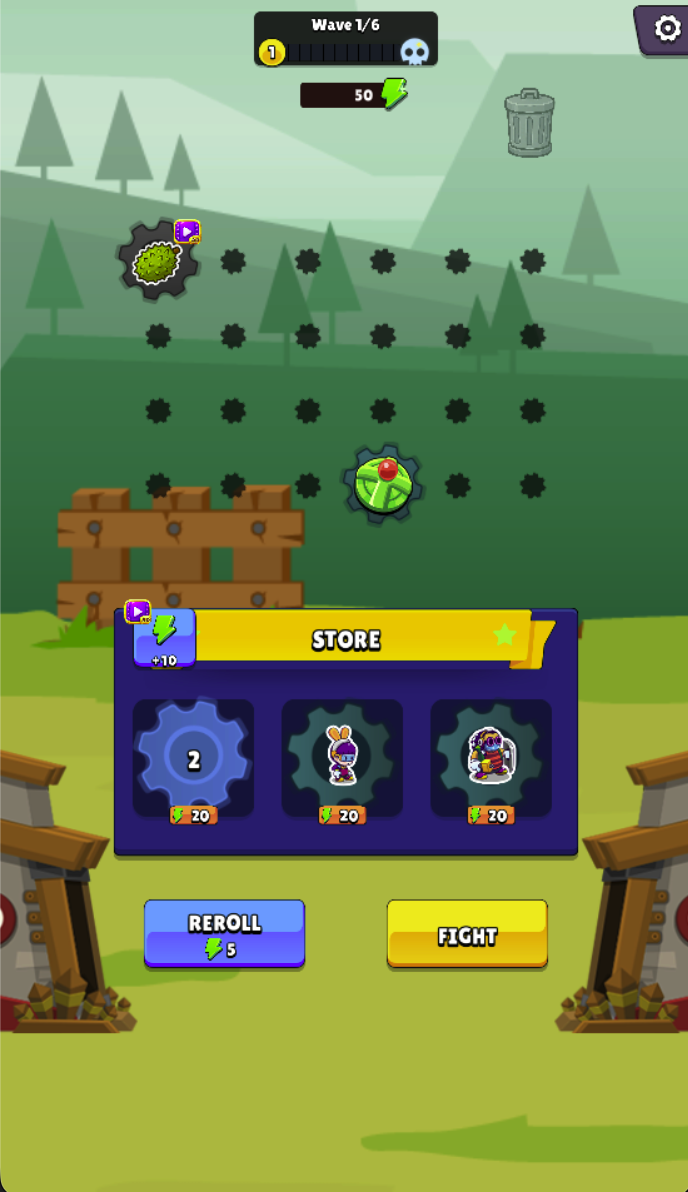
Select Battle, then arrange available troop and skill gears on the board before pressing Fight. The preparation screen shows Wave 1/6, 50 energy, three store choices priced at 20 energy and a Reroll price of 5. These are displayed values for that moment, not fixed prices for every wave.
Budget for the setup before refreshing the store. At the shown prices, two 20-energy choices leave 10 energy; spending 5 on a reroll reduces what remains for other actions. Compare the usefulness of the current options with the cost of looking for alternatives.
Wave Battle Tips
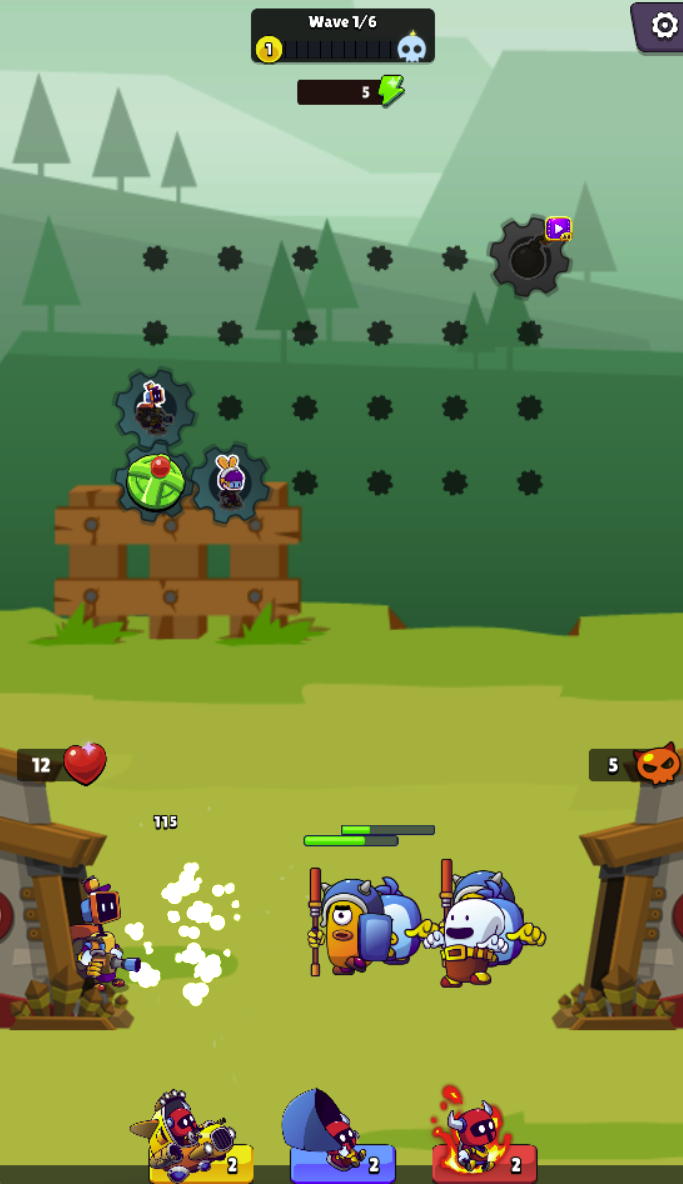
Once combat starts, observe the soldiers below the gear board and the wave and base counters. Compare the effects of your troop and skill choices before changing several things at once. The captured battle also shows three support icons with counts at the bottom; inspect their in-game prompts rather than assuming their effects.
Gear, Troops and Skins
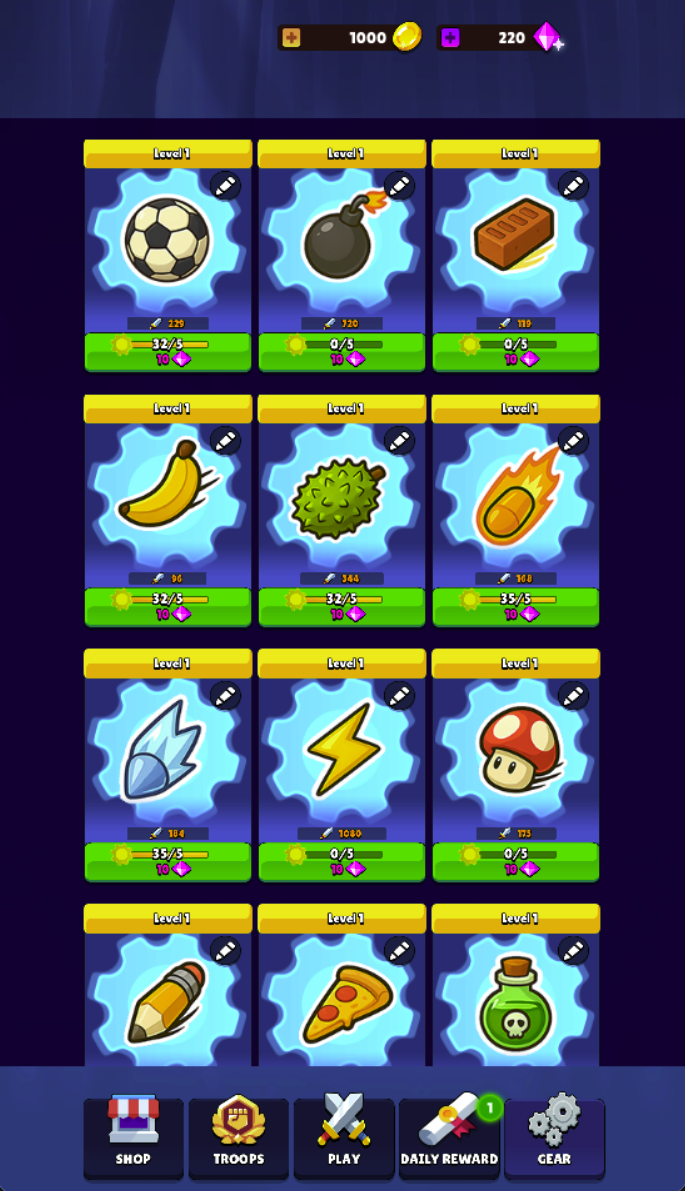
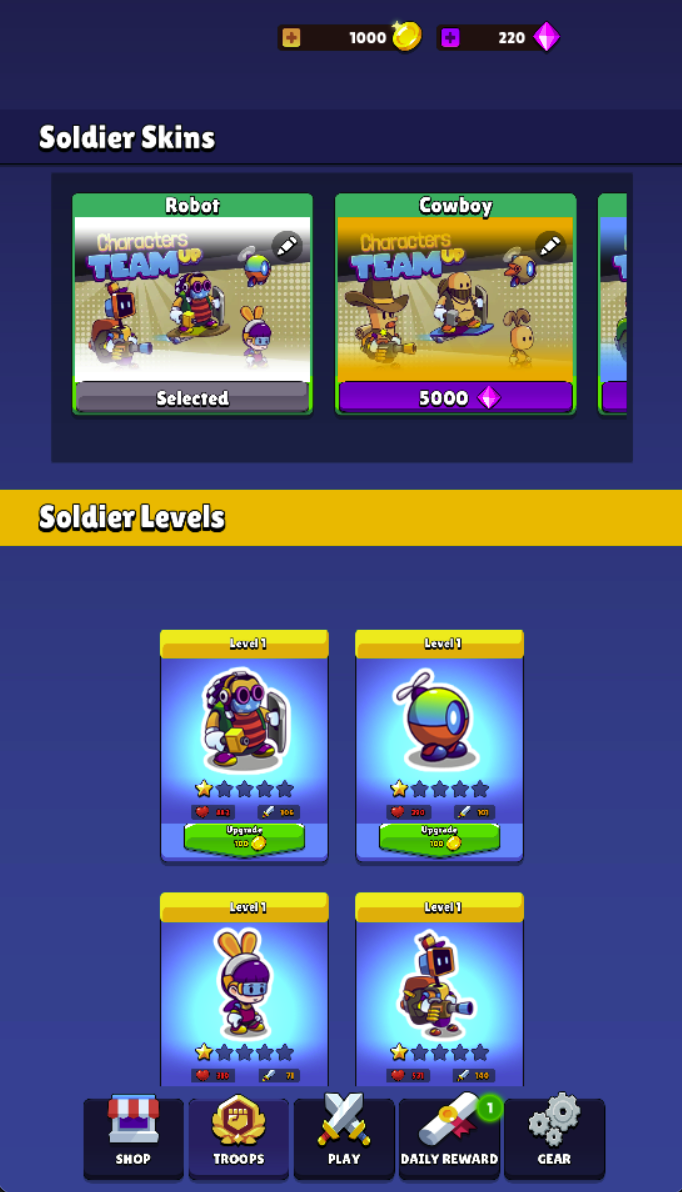
The Gear tab presents separate cards with levels, stats, material counters and diamond-priced controls. The Troops tab has Soldier Levels with coin-priced upgrades and a separate Soldier Skins section. Check the currency icon, required materials and current price before spending resources.
The Soldier Skins screen has Robot selected and Cowboy priced at 5000 diamonds.
Mystic Forest
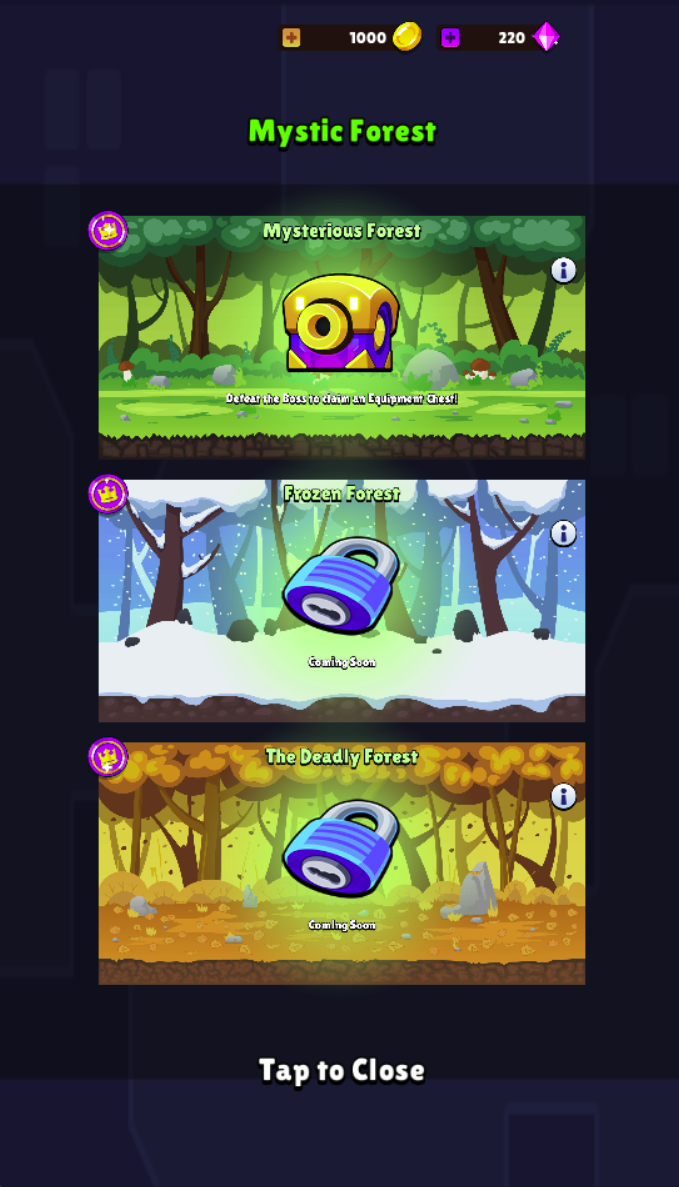
The forest panel states that defeating the Mysterious Forest boss grants an equipment chest. Frozen Forest and The Deadly Forest are explicitly marked Coming Soon in the version; they should not be advertised as playable content yet.
Are energy, coins and diamonds interchangeable?
The interfaces use energy for preparation choices and rerolls, coins for displayed soldier upgrades, and diamonds for some gear or skin controls. Read the currency icon on each purchase rather than assuming a shared balance.
Are all forest areas available?
No. Two of the three areas in the captured forest panel are marked Coming Soon.
Screenshots & Strategies
Real browser captures · October 21, 2026
Select Battle from the home screen. Troops and Gear are separate tabs, while coins and diamonds have separate balances.Preparation begins at Wave 1/6 with 50 energy in this capture. Store choices cost 20 each and Reroll costs 5, so compare purchases before refreshing.Placed troop and skill gears remain on the board during combat while soldiers fight below. Watch the wave indicator and both sides’ counters to assess your setup.Mystic Forest lists Mysterious Forest with a boss equipment-chest objective. Frozen Forest and The Deadly Forest are marked Coming Soon in this version.The Gear tab shows individual levels, stats, material counters and diamond-priced controls. Inspect the selected gear and its requirements before upgrading.The Troops tab separates Soldier Skins from Soldier Levels. Robot is selected, Cowboy displays a 5000-diamond price, and soldier cards have their own coin-priced upgrades.